EmmyLua Analyzer Rust Configuration
The details below describe how to install and configure the Emmy Lua language server found
here.
Installation
The
EmmyLua Analyzer Rust page contains details on how to build the language server from source and also contains a link to the
releases page where pre-built version of the language server can be downloaded.
In this case the the
emmylua_ls-win32-x64.zip package was downloaded from the
Assets section of
releases page and extracted to the
C:\LSP\Emmy folder location as shown below:
 Directory of C:\LSP\Emmy\

06/05/2026  05:06 PM    <DIR>          .
06/05/2026  05:06 PM    <DIR>          ..
06/03/2026  11:02 PM        21,691,392 emmylua_ls.exe
               1 File(s)     21,691,392 bytes
               2 Dir(s)  20,349,198,336 bytes free
Configuration
The language server requires a configuration file as per the details found
here. In this case the recommended
template was used and saved to the
c:\LSP\Emmy\emmyrc_json_EN.md configuration file as per the details shown below:
{
  "$schema": "https://raw.githubusercontent.com/EmmyLuaLs/emmylua-analyzer-rust/refs/heads/main/crates/emmylua_code_analysis/resources/schema.json",
  "completion": {
    "autoRequire": true,
    "callSnippet": false,
    "postfix": "@"
  },
  "diagnostics": {
    "globals": [],
    "disable": ["undefined-global"]
  },
  "doc": {
    "syntax": "md"
  },
  "runtime": {
    "version": "LuaLatest",
    "requirePattern": ["?.lua", "?/init.lua"]
  }
}
Start Zeus and use the
Options, Document Types menu to edit the Lua document type and in the
Language Server panel apply the following configuration settings:
Program Type: Executable
     Program: emmylua_ls.exe
   Directory: C:\LSP\Emmy\
   Arguments:
Using the Language Server
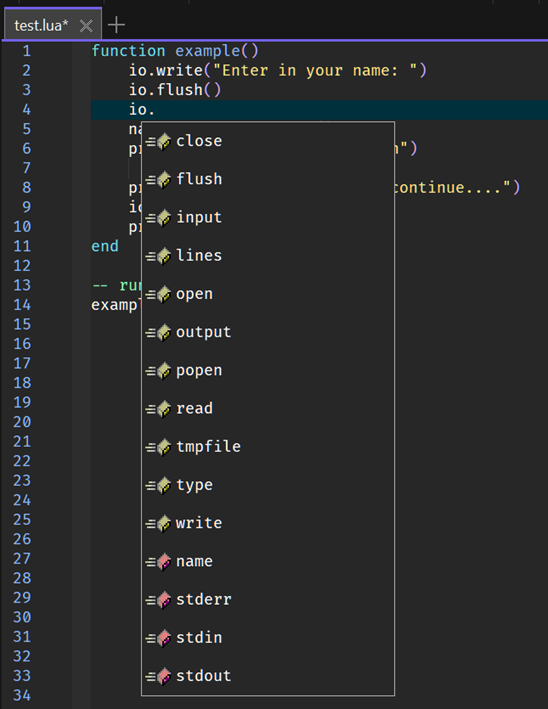
To test the configuration create a simple test.lua file and fire off an autocomplete request:
In addition to code completion, code navigation, function signatures and document hover will also work.
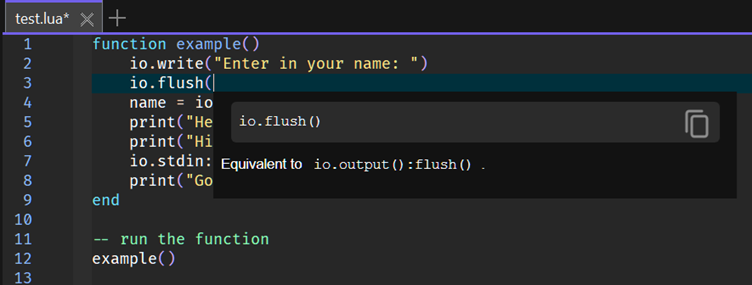
Shown below is an example of the function signatures autocomplete feature.
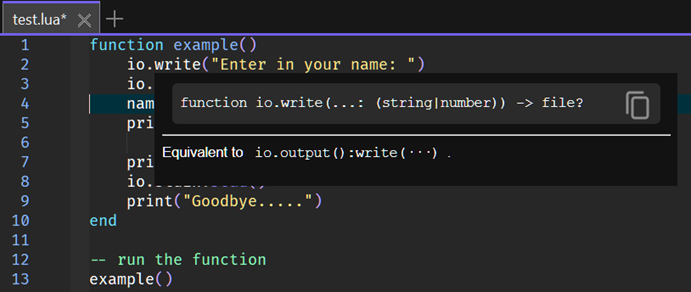
Shown below is an example of the document hover feature.
IMPORTANT: If the autocomplete does not fire, try closing all files and then re-opening an odin file, while language server errors can be viewed using the Language Server, Language Server, Display Server Output menu.